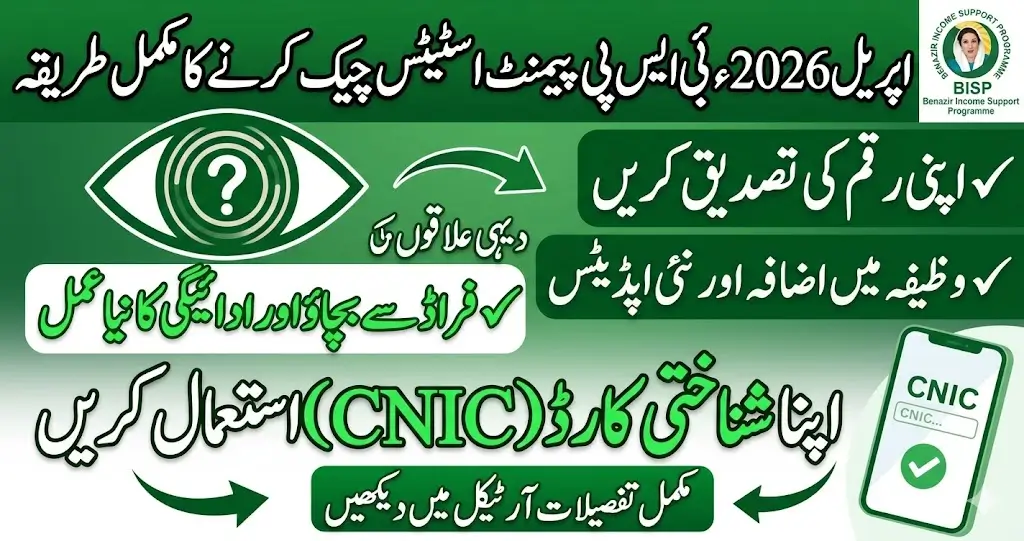
The 8171 BISP payment verification process for April 2026 is a crucial step for all individuals who are eligible for the financial assistance provided by BISP. BISP aims to provide cash stipends to underprivileged families. This financial support plays a significant role in reducing poverty across Pakistan and ensuring that low-income families have access to basic necessities.
In this article, we will explain how you can easily verify your BISP payment status for April 2026 through your CNIC. We will also discuss recent updates on stipend increases, the government’s efforts to fight fraud and the phased disbursement process that is reaching out to rural areas.
What Is the 8171 BISP Payment System
The Benazir Income Support Programme supports low-income households. It provides cash grants every few months to help with basic needs. The government links this service with a digital system called the 8171 Web Portal. Anyone registered with BISP can check their payment status using this platform.
Eligible beneficiaries expect to receive their new quarterly payment under the BISP Kafaalat scheme. The payment amount in most cases is Rs 14,500 per household. This is a support meant to reduce financial hardship for families with limited means.
You need to verify your eligibility and payment status before collecting funds. The most accurate way to do this is through your 13‑digit CNIC number.
What You Need to Check Your Payment
Before you start the verification process make sure you have:
- Your original CNIC number (13 digits, no dashes).
- An internet connection for the online check or a mobile phone for SMS.
- A device like a smartphone, tablet, or computer for portal access.
Using the right method keeps you safe from fraud and mistakes. Don’t trust unofficial sources for payment results. Use only the official 8171 portal or the 8171 SMS service.
How to Check 8171 BISP Payment Status Online
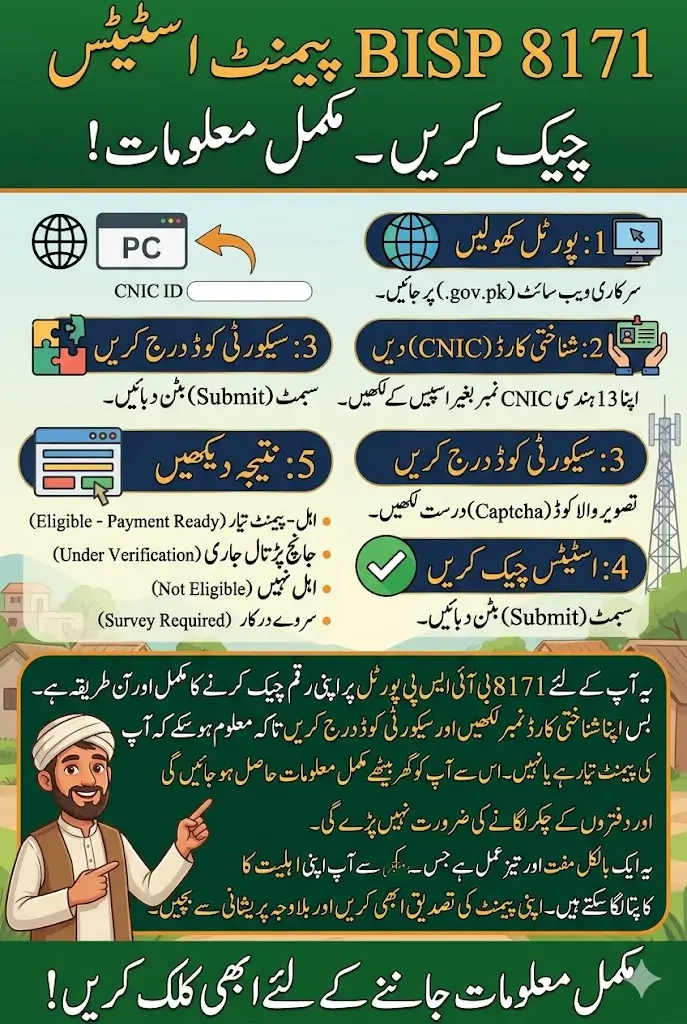
Here is a step‑by‑step guide to verify your April payment using the official online portal.
Step 1: Open the Official Web Portal
Go to the 8171 BISP Web Portal using your browser. The portal always starts with .gov.pk. This ensures you are using the real government system.
Step 2: Enter Your CNIC
Type your 13‑digit CNIC number into the field. Do not add any spaces or dashes. A wrong format can return an error.
Step 3: Fill in the Security Code
A picture will appear with letters or numbers. This is the captcha to prove you are not a robot. Enter it exactly. If you enter it wrong you must redo this step.
Step 4: Click to Check Status
Press the button that says “8171 Check Status” or “Submit.” The system will take a moment to match your CNIC with records.
Step 5: View Your Result
The portal will show one of these outcomes:
- Eligible – Payment Ready
Your payment is confirmed and you can collect it. - Under Verification
The system is still reviewing your record. You may need to wait or update your survey. - Not Eligible
You do not qualify based on current data or your registration is incomplete. - Survey Required
You must complete or update your dynamic survey for future payments.
This method is fast and does not cost anything. You get clear information instantly.
Also Read: Shahbaz Sharif Ramzan Relief Package 13000 Check Status and Apply Now
How to Check Payment Using SMS
Not everyone has internet access. BISP offers an SMS method to verify payment status.
- Open the text messaging app on your phone.
- Enter your 13‑digit CNIC number directly. Again, no dashes or spaces.
- Send the message to the number 8171. This is the official SMS code for BISP payment checks
- You will receive a reply telling you if you are eligible, when the payment was released, or if your record needs updating. This reply is free and official.
If you do not get a response quickly, wait a few minutes and try again. In areas with weak signal strength, delays are normal.
Common Payment Messages and What They Mean
When you check your status either online or by 8171 SMS, you might see different messages. Here is what they mean:
- Payment Ready
Your funds are approved and can be collected. - Under Verification
The system is reviewing your details. This means your case is not final yet. - Not Eligible
You do not meet the criteria based on your current data. You may need to update your profile. - Survey Required
Your NSER survey record is missing or incomplete. You must visit a BISP center to complete it.
These results help you know exactly what step comes next.
What to Do If Your Status Is Not “Payment Ready”
If your record shows Under Verification or Not Eligible, you should:
Visit the BISP Registration Center
Go to your nearest BISP office. Bring your CNIC and original documents. Ask them to check your NSER survey status. Survey data must be complete and accurate for eligibility.
Update Your Dynamic Survey
Sometimes your details are out of date. Update information such as income, address, family size, and employment. Updated data may move you back into eligibility.
Check for Errors
A typo in your CNIC or missed survey may block your payment. Ask the staff to correct any errors in the system. This can make your next payment appear properly.
| Payment Status | Action Required |
|---|---|
| Payment Ready | Collect payment from authorized center. |
| Under Verification | Wait for updates or update your survey. |
| Not Eligible | Check eligibility or update registration details. |
| Survey Required | Complete or update NSER survey at a BISP center. |
Where You Can Collect Your BISP Payment
Once your payment is confirmed you can collect cash in one of these ways:
- At authorized bank branches.
- Through ATMs if you have your debit card.
- From designated mobile money agents (like JazzCash and Easypaisa) in many areas.
- At official BISP campsites when arranged locally.
Each method has its own requirements. Always carry your CNIC and any BISP card or message confirmation.
Safety Tips and Important Notes
- Always use the official portal or SMS service. Do not trust third‑party applications or websites that pretend to check payment status.
- Do not pay anyone for payment status results. The service is free.
- If you get messages from unknown numbers, do not respond or share personal details.
- Keep your CNIC details updated with NADRA to avoid verification problems.
Also Read: BISP 8171 Eid Payment Update 2026 Check New Payment Details
Conclusion
Checking your 8171 BISP payment status by CNIC is simple if you follow the right steps. Use the online portal when you have internet access. Use the SMS method if you do not. Both ways keep your information safe and give you a quick answer.
Accurate verification ensures that you receive the cash support you are entitled to without delays. If there are issues with eligibility, you can fix them by updating your information or visiting a BISP office. Always check before going to a payment center.